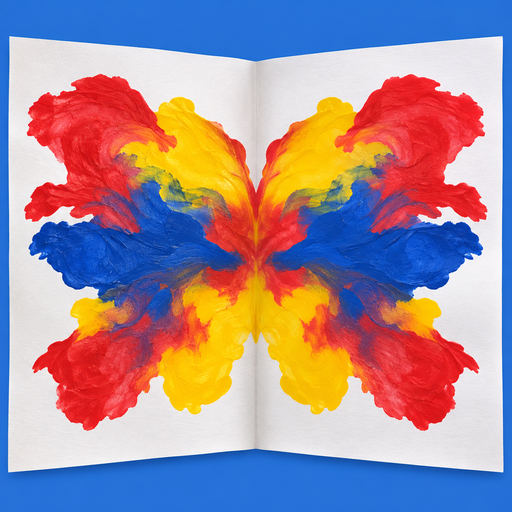
えのぐを おいて、
ぱたんと おって、ひらく。
図工の時間にやった「合わせ絵(デカルコマニー)」です。紙に絵の具をぽたぽた置いて、二つに折って、上からこすって、ひらく。絵の具がつぶれて広がり、まざって、左右おなじ模様ができます。絵の具も紙も出さずに、汚さずに遊べます。
広告なし・アプリの中の課金なしの買い切りです。値段は App Store に出ているものをご覧ください。iOS 26 以上の iPhone で使えます。
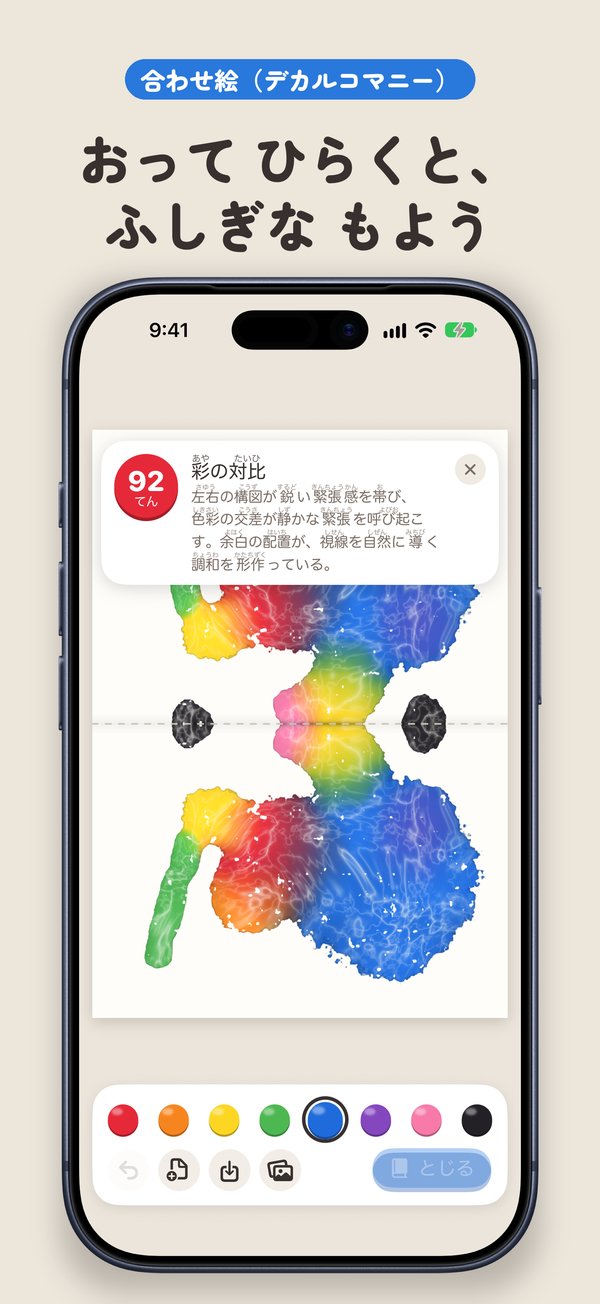
あそびかた
えのぐを おく
色をえらんで紙をさわると、絵の具が1つぶ落ちます。おしたままにすると大きくなり、なぞると つぶが並びます。色は8つ。
とじて、こする
「とじる」で紙が二つに折れます。折った紙の裏をこすると、こすった所の絵の具がよく広がります。
ひらく
ひらくと、折り目をはさんで同じ模様。重なった色はまざります(きいろ+あお=みどり)。そのまま絵の具を足して、もう一度とじて重ねられます。
できること
おりたたみの iPhone なら、本当に閉じる
iPhone Duo では、紙の折り目とスマホの折り目が重なります。スマホを閉じると紙が折れ、外がわの画面が紙の裏になります。こすって、ひらくと、絵ができています。ふつうの iPhone でも同じ遊びができます。
AI が 題名・点数・感想をつける
Apple Intelligence が使える iPhone では、できた絵を1つの作品として見て、題名と点数、受けた印象の言葉がつきます。iPhone の中だけで動き、絵はネットに送りません。
作品は「さくひん」に残る
できた絵は、点数と感想といっしょに残ります。あとから見返したり、消したりできます。
共有と保存
絵・点数・感想を1まいにして共有できます。写真に保存することもできます。
よくある質問
お金はかかりますか?
アプリを買うときの代金だけです。広告も、アプリの中の課金もありません。
ログインや会員登録は必要ですか?
必要ありません。開くと、すぐ紙があります。
小さい子でも遊べますか?
遊べます。さわると絵の具が落ちて、とじて、ひらくだけです。言葉はひらがなで短く、色は絵の具のつぼの絵でえらびます。
iPhone Duo でないと遊べませんか?
ふつうの iPhone でも遊べます。「とじる」「ひらく」のボタンで紙を折ります。
できた絵はどこに保存されますか?
iPhone の中だけです。開発者のサーバーには送りません。写真に保存するのは、あなたが「しゃしんに ほぞん」を押したときだけです。
AI の採点と感想は、どこで作られますか?
Apple Intelligence(iPhone の中で動く Apple のしくみ)が、iPhone の中だけで作ります。絵や感想がネットに送られることはありません。Apple Intelligence が使えない iPhone では、絵だけが残ります。
どの言語で使えますか?
日本語・英語・韓国語・中国語(簡体字・繁体字)で使えます。
どの機種で使えますか?
iPhone 専用のアプリです。iOS 26 以上が必要です。
お問い合わせ
不具合やご意見は、ryo.tsuzukihashi@tsuzukit.com までメールでお送りください。件名に「あわせ絵」と入れていただけると助かります。
Drop paint, fold,
and open.
Squish Paint is decalcomania, the fold-and-print painting many of us did in art class. Drop blobs of paint on the paper, fold it in half, rub the back, and open it. The paint squishes, spreads and mixes into a pattern that is the same on both sides. No real paint, no mess.
No ads and no in-app purchases. See the App Store for the price. Requires an iPhone with iOS 26 or later.
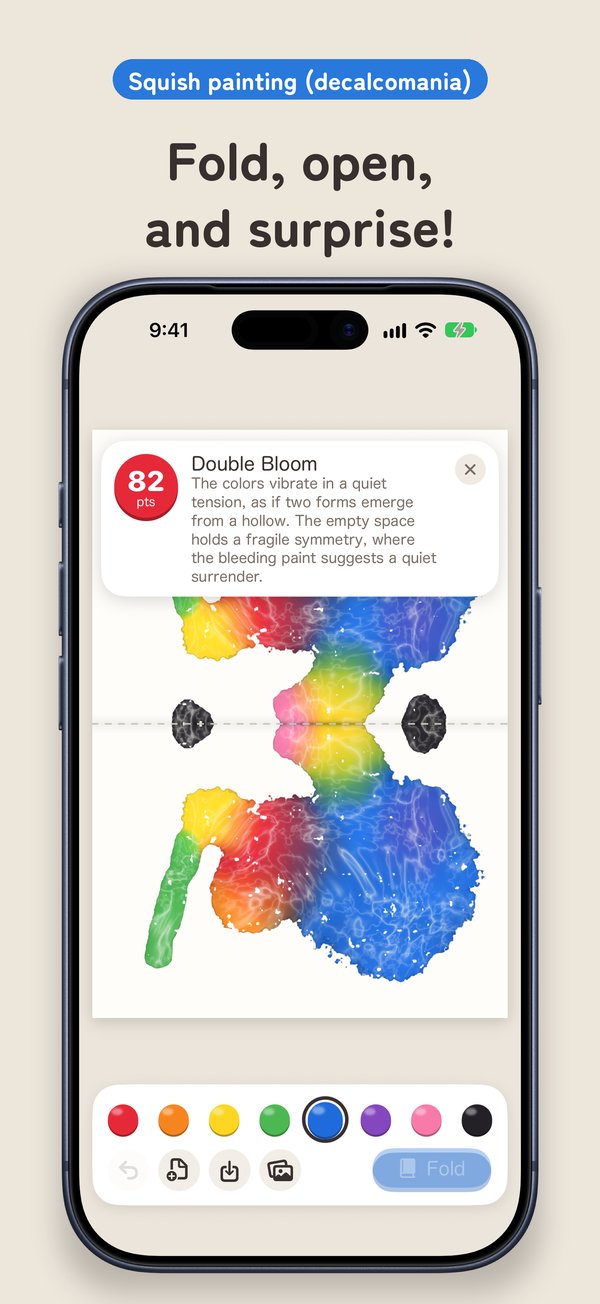
How to play
Drop paint
Pick one of eight colors and touch the paper to drop a blob. Hold to make it bigger, or drag to leave a trail.
Fold and rub
Tap Fold to fold the paper in half. Rub the back of the folded paper to spread the paint where you rub.
Open
Open it to find the same pattern on both sides of the crease. Overlapping colors mix (yellow + blue = green). Add more paint and fold again to layer.
Features
On a foldable iPhone, really close it
On iPhone Duo the crease of the paper sits on the fold of the phone. Close the phone to fold the paper, rub the outer display, and open it to see the print. Regular iPhones play the same way with buttons.
A title, a score and an impression
On iPhones with Apple Intelligence, each picture gets a title, a score and a short impression, written as for a work of art. It runs entirely on your iPhone; the picture is never sent anywhere.
Your artworks are kept
Finished pictures are kept with their scores and impressions. View them later or delete them.
Share and save
Share the picture, score and impression as one image, or save the picture to Photos.
FAQ
Does it cost anything?
Only the price of the app. No ads and no in-app purchases.
Do I need an account?
No. The paper is there as soon as you open the app.
Do I need an iPhone Duo?
No. On regular iPhones, the Fold and Open buttons fold the paper.
Where are my pictures stored?
Only on your iPhone. Nothing is sent to the developer. Pictures are added to Photos only when you tap Save to Photos.
Where are the score and impression created?
By Apple Intelligence, on your iPhone only. Nothing is sent to any server. Without Apple Intelligence, the picture is kept without a score.
Which languages are supported?
Japanese, English, Korean, Simplified Chinese and Traditional Chinese.
Contact
Email ryo.tsuzukihashi@tsuzukit.com with "Squish Paint" in the subject.