iOS / Android 配信中Out now on iOS / Android
やったよボード アプリアイコン - オレンジのスライダーボード

Yattayo — Slider To-Do Board

スライドしたら、やったよ。Slide it, and it's done.

やることを並べて、終わったらつまみをスライド。本物みたいな手ざわりの ToDo アプリ。Line up your tasks, and slide the knob when you're done. A to-do app that feels like the real thing.

App Store
iPhoneでダウンロードDownload for iPhone
Google Play
AndroidでダウンロードDownload for Android

無料でダウンロードできます。最初の1枚を、貼るところから。Free to download. Start by sticking up your first note.

Feel

チェックを付けるんじゃない。
スライドして、終わらせる。
Don't check it off.
Slide it to finish.

🎚️

指で押し切る、完了Done, pushed all the way with your finger

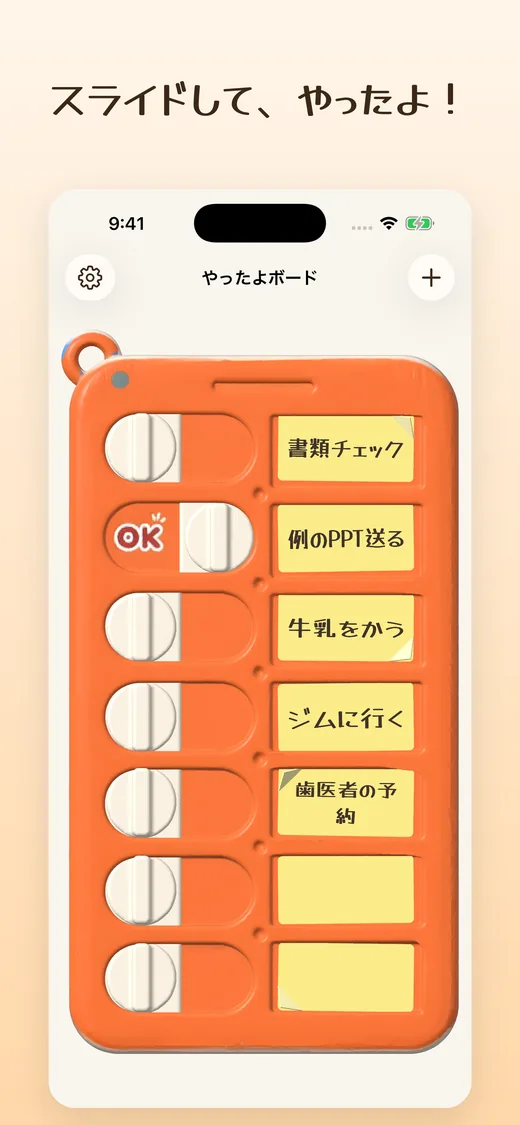
つまみを右へ押し切ると、溝を刻むカチカチという摩擦のあと、端で「カチッ」と嵌まります。指を離すと現れるのは、赤い「OK」の刻印。タップより、ずっと終わった気がします。Push the knob all the way right and you feel it click over each groove before it snaps into place at the end. Let go and a red OK stamp appears. It feels far more finished than a tap.

📝

付箋に、そのまま書くWrite right on the sticky note

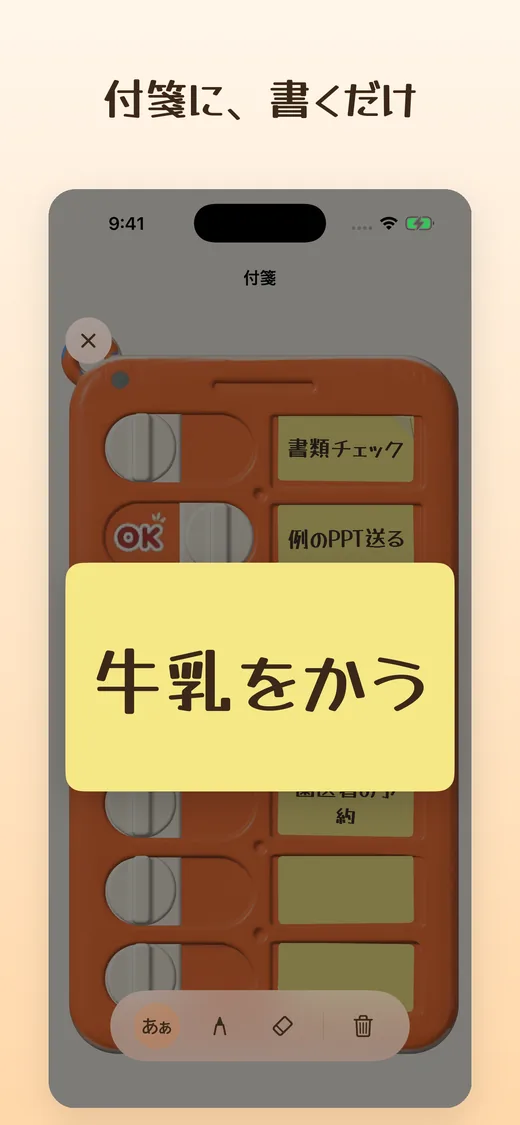
タスクは1枚の付箋。タップするとその付箋がふわっと開いて、文字でも手書きでも書けます。書いた見た目のまま、ボードの上に貼り直されます。Each task is a sticky note. Tap it and the note floats open so you can type or handwrite. It goes back on the board looking exactly as you wrote it.

🍃

剥がして、片付けるPeel it off to clear it

完了した付箋は、指でめくって剥がすだけ。手を離すと、くるくると回りながらボードの外へ落ちていきます。片付けまで、ちゃんと気持ちいい。To clear a finished note, just peel it off with your finger. Let go and it spins its way off the board. Even cleaning up feels good.

🔔

忘れても、思い出させるReminds you even if you forget

締切の2日前・前日・当日にお知らせ。過ぎてしまっても、終わるまで毎日そっと声をかけます。通知からそのまま「やったよ」もできます。You get a reminder two days before, the day before, and on the due date. Even if it passes, you get a gentle nudge every day until it's done. You can mark it done straight from the notification.
Texture

音と、振動と、手ざわり。Sound, vibration, and touch.

カチ、カチ、カチッ。
つまみが溝を越えるたび、指先に返ってくる。

ペタッ。
書き終えた付箋が、ボードに貼り直される。

ピリッ。
終わった付箋を、剥がして落とす。
Click, click, clack.
Every groove the knob crosses comes back to your fingertip.

Slap.
The finished note sticks back onto the board.

Rip.
Peel off the done note and let it drop.

Screens

手のひらの中に、
本物みたいなボードを。
A board that feels real,
in the palm of your hand.

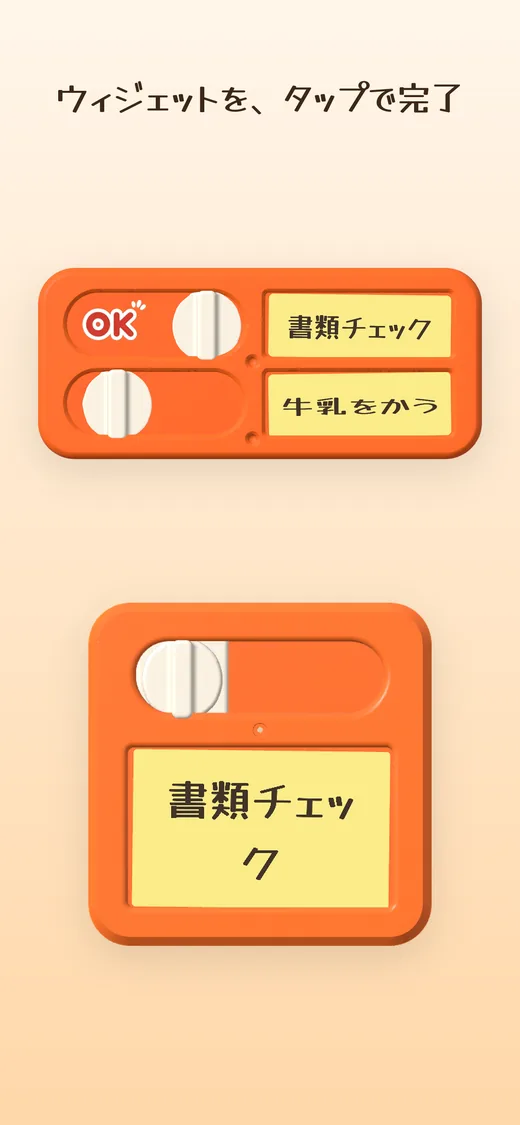
やることを並べたオレンジのスライダーボードのホーム画面 付箋を開いて「牛乳をかう」と書き込む編集画面 ホーム画面ウィジェットのボードをタップして完了にする様子(iOS版)

※ 画面は iOS 版。ボードを写したウィジェットは iOS 版の機能です(Android 版はやること一覧のウィジェットを搭載)。Screens are from the iOS version. The widget showing the board is an iOS feature (the Android version has a task list widget).

Sync

ボードは1枚。
どの端末から見ても、同じ。
One board.
The same on every device.

iCloud

手首で確認して、机の上で片付ける。
iPhone・Apple Watch・Mac のボードは iCloud で自動的に同じ状態になります。 ※ 同期には iCloud へのサインインが必要です。Android 版のデータは端末の中に保存されます。
Check it on your wrist, clear it at your desk.
Your board on iPhone, Apple Watch, and Mac stays in sync automatically through iCloud. Note: Syncing requires signing in to iCloud. On Android, data is stored on the device.

OK

Download

最初の「やったよ」を、あなたに。Your first "done" is waiting.

無料で使えます。まずは今日の1件を、貼ってみてください。It's free. Start by sticking up one thing for today.