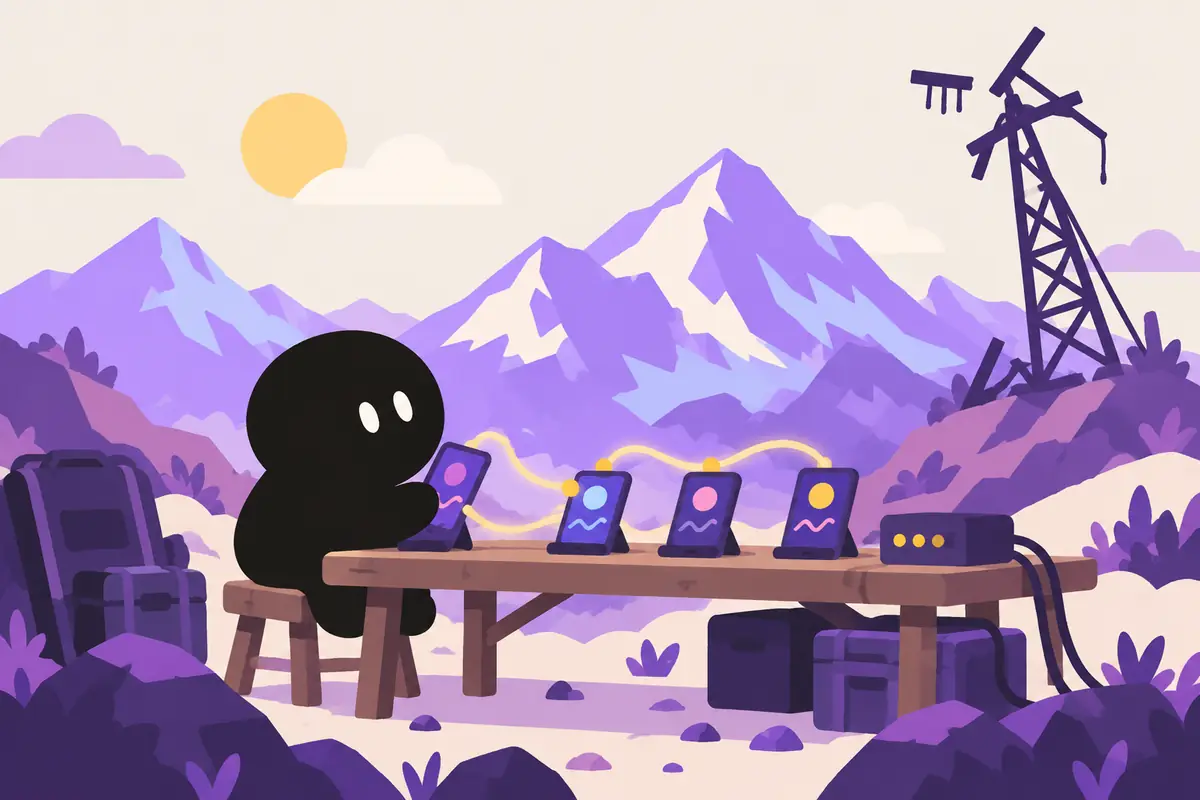
この度、個人開発でインターネットも携帯電波も一切不要なオフラインメッセージアプリ「RelayChat」をApp Storeにリリースしました。
このアプリは、スマホに必ず入っているBluetoothという無線技術を使い、近くにいる人々と直接つながるP2P(ピアツーピア)方式で動作します。
【ひとこと解説】P2Pとは?
サーバーを介さず、スマホ同士が直接おしゃべりする方式のこと。LINEのように一度企業のサーバーを経由しないのが特徴です。
さらに、ユーザーのスマホが自動的に中継局となり、メッセージをバケツリレーのように遠くまで届ける「メッシュネットワーク」という仕組みを形成します。
「圏外を、安心に。いつもの会話を、もしもの備えに。」
このサブタイトルに込めた想いと、一つのアイデアが形になるまでの技術的な挑戦、そしてAppleとの闘い(笑)の全記録を、ここに書き残したいと思います。
すべての始まりは、夏フェスの「圏外」だった
オンラインであることは、もはや呼吸をするのと同じくらい当たり前の世界です。
そんな僕がなぜ「オフライン」なのか。その原体験は、数年前の夏フェスに遡ります。
大好きなアーティストのステージ。鳴り響く轟音と、熱狂する数万人のオーディエンス。最高潮の盛り上がりの中、ふと仲間とはぐれてしまったことに気づきました。「あとで合流しよう」とスマホを取り出すも、メッセージが送れません。アンテナは立っているのに、人が多すぎて電波が詰まっているのです。
キャンプ場でも同じでした。美しい自然の中で、仲間とリアルタイムに感動を共有したいのに、電波が届かない。スマホはただの重たい板と化していました。
「どうして、こんなに近くにいるのに、繋がれないんだろう?」
「スマホ同士が、直接話せればいいのに…」
この悔しさと純粋な技術的興味から、「Bluetoothを使えば、サーバーなしで会話できるアプリが作れるんじゃないか」というアイデアが、僕の中にぼんやりと芽生えました。それはまだ、具体的な形を持たない、夢物語のようなものでした。
相棒「Claude Code」との出会い、そしてアイデアの進化
その夢物語を現実へと動かす、大きな転機が訪れます。AIアシスタント「Claude Code」の登場です。
僕の頭の中にあった漠然としたアイデアをClaude Codeに投げかけると、驚くほど的確な設計案やコードスニペットが返ってくる。まるで、優秀なエンジニアとペアプログラミングをしているような感覚でした。一人では越えられなかったであろう技術的な壁を、次々と乗り越えることができたのです。
Claude Codeと壁打ちを繰り返す中で、僕のアイデアはさらに磨かれていきました。
そして、決定打となったのが、2024年の能登半島地震のニュースでした。通信網の途絶という現実を目の当たりにし、僕のアプリが持つべき本当の使命に気づかされたのです。
「これは、ただの便利ツールじゃない。人の命を救うライフラインになり得るかもしれない」
こうして、僕の個人的な原体験から生まれた「圏外問題解決アプリ」のアイデアは、Claude Codeという相棒を得て、「日常の"楽しい"と、非常時の"安心"を両立させる」という、RelayChatの確固たるコンセプトへと進化したのでした。
技術選定の分かれ道:「Multipeer」か「Core Bluetooth」か
iOSでP2P通信を実現しようと思った時、多くの開発者が最初に思い浮かべるのはMultipeer Connectivity Frameworkでしょう。
【ひとこと解説】Multipeer Connectivityとは?
Appleが用意してくれた、いわば「至れり尽くせりの高級リムジン」。デバイスの発見から接続、データ送受信まで、驚くほど簡単に実装できる便利な道具です。
しかし、僕が選んだのは、より低レベルで、より気難しいCore Bluetoothでした。
【ひとこと解説】Core Bluetoothとは?
「リムジンを降りて、エンジンから自分で組み立てる」ような、自由度が高い代わりに手のかかる道具。通信のルールをゼロから自分で作れます。
なぜ、わざわざ茨の道を選んだのか。理由は、「完全なメッシュネットワーク」と「プライバシー」へのこだわりです。
Multipeer Connectivityはあくまで「近くの数台」と繋がるためのもので、デバイスがデバイスを中継して輪を広げていくような、複雑なネットワークを自前で組むには自由度が足りませんでした。
また、匿名性とセキュリティの重要性を痛感しました。通信のすべてを自分でコントロールし、将来的に暗号化を実装するなら、GATTのキャラクタリスティック一つひとつを自分で設計できるCore Bluetoothしかない。
【ひとこと解説】GATTとキャラクタリスティックとは?
GATTは「Bluetooth通信の設計図」のようなもの。キャラクタリスティックは、その設計図の中に書かれる、メッセージやプロフィールといった具体的な「情報の入れ物」のことです。
設計と実装:サーバーレスの壁を越える
RelayChatの心臓部は、すべてのデバイスが「セントラル(探す側)」と「ペリフェラル(見つけてもらう側)」の役割を同時に担う、という設計です。
- アプリを開くと、自分の存在を知らせるアドバタイズパケットを常に発信し(ペリフェラル)、
【ひとこと解説】アドバタイズパケットとは?
「ここにRelayChatユーザーがいるよ!」と叫びながら、自分の存在を知らせるための小さな電波のことです。
- 同時に、周囲のRelayChatユーザーを探し始めます(セントラル)。
- ユーザーを見つけると、即座に接続。
- メッセージを送信すると、接続している全員にブロードキャスト。
- メッセージを受信すると、自分宛でなくても、接続している他の仲間(送信元を除く)に自動で転送(リレー)する。
このシンプルなフラッディング(Flooding)アルゴリズムにより、ユーザーが多ければ多いほど、通信網がネズミ算式に広がっていく仕組みです。
【ひとこと解説】フラッディングとは?
受信したメッセージを、自分以外の接続相手全員にコピーして転送する、というシンプルな仕組み。「洪水」のように情報を一気に広げるイメージです。
そして、プライバシーを守るため、CryptoKitを使ってエンドツーエンド暗号化を実装しました。
【ひとこと解説】CryptoKitとエンドツーエンド暗号化とは?
CryptoKitはAppleが提供する「暗号化の道具箱」。エンドツーエンド暗号化は、LINEなどでも使われる「送った人と受け取った人しか中身を読めない」強力な暗号化技術です。
近くにいるユーザーグループで一時的な共通鍵を生成・共有し、通信はすべて暗号化。中継するだけのデバイス(人)には、メッセージの中身は一切見えないようにしました。
App Storeの赤い壁:Guideline 1.2との闘い
順調に開発が進み、満を持してAppleにアプリを申請。しかし、数日後に届いたのは、非情なリジェクト通知でした。
Guideline 1.2 - Safety - User Generated Content
あなたのアプリはユーザーが匿名でコンテンツを投稿できますが、適切な予防措置が講じられていません。
サーバーレスの匿名アプリにとって、最も恐れていた指摘です。Appleが要求してきたのは、不適切コンテンツのフィルタリング、報告機能、ブロック機能、そして「24時間以内の開発者による対処」といった、通常はサーバー側で実装する機能のすべてでした。
頭を抱えました。サーバーがないのに、どうやってユーザーを追放し、投稿を削除するんだ?
しかし、ここで諦めるわけにはいきません。これまでの開発の経験が、僕に「やり方を変えて試せばいい」と教えてくれました。
僕の出した答えは、「ユーザー自身に管理権限を委譲する」ことでした。
クライアントサイド・フィルター
まず、不適切な単語のリストをアプリ内に持ち、送受信時に自動で伏せ字にする機能を実装しました。
【ひとこと解説】クライアントサイドとは?
サーバー側ではなく、皆さんのスマホアプリの中で処理を行うことです。
即時報告&ブロック機能
各メッセージを長押しすると「通報」できるようにしました。通報されたメッセージは、そのユーザーの画面から即座に消えます。同時に、その送信者の匿名IDをデバイス内のブロックリストに記録。以降、その人からのメッセージは二度と表示されません。
Appleへの説明
そして、審査への返信でこう伝えました。
「本アプリはP2Pの特性上、中央サーバーでユーザーを追放することはできません。しかし、その代わりに強力なクライアントサイドフィルターと、ユーザー自身が即時に不快な体験を排除できる通報・ブロック機能を設けており、不適切な投稿が広がる前に止められるようにしています」と。
利用規約への同意を必須にし、年齢制限を「17+」に引き上げ、祈るような気持ちで再申請。
そして数日後、ついに届いた「Ready for Sale」の通知。思わず声が出ました。
RelayChatが目指す、二つの未来
こうして、RelayChatは世に出ました。このアプリが目指すのは、二つの未来です。
一つは、「もしもの時の、命綱になる未来」。
このアプリが、いつかどこかで、誰かの「安心」に繋がってくれたら。災害時に、大切な人へ「大丈夫だよ」の一言を届ける手助けができたなら。開発者として、これ以上の喜びはありません。
でも、RelayChatはそんな真面目なだけのアプリではありません。もう一つは、「なんでもない日常が、少しだけワクワクする未来」です。
学生時代に夢見た、授業中に隣のクラスとこっそり話せる秘密のチャット。
長距離フライトで、同じ飛行機に乗っている人たちとだけ繋がる、その場限りのSNS。
高速道路のサービスエリアで、偶然居合わせたライダー同士が「この先の天気どうですか?」なんて情報交換したり。
非常時の「安心」と、日常の「楽しい」。
全く違うように見えて、根っこは同じです。それは「テクノロジーで、物理的な距離と心の距離を縮める」ということ。
この挑戦は、巨大な資本や組織がなくても、個人のエンジニアの技術と熱量だけで、ここまでは作れるということだと思っています。PayPayフリマで学んだリーンな開発、Pocochaで叩き込まれたアジャイルな思考、そしてZOZOTOWNで日々向き合っている多くのユーザーへの想い。僕がこれまで得てきた経験の、すべてを注ぎ込みました。
この開発秘話が、同じように何かを作りたいと思っている、誰かの背中をそっと押すことができたなら、本当に嬉しいです。
最後まで読んでいただき、ありがとうございました。
もしよろしければ、App Storeで「RelayChat」をダウンロードして、あなたのスマホに「もしもの備え」と「日常のワクワク」を入れてみてください。

I've just released RelayChat on the App Store, an offline messaging app I built on my own that needs no internet and no cell signal at all.
The app uses Bluetooth, the wireless technology every smartphone has, and works peer-to-peer (P2P), connecting you directly with the people around you.
Quick explainer: what is P2P?
A way for phones to talk to each other directly, with no server in between. Unlike LINE, messages never pass through a company server first.
On top of that, users' phones automatically act as relay stations, forming what's called a "mesh network" that carries messages far away, hand to hand like a bucket brigade.
"Turning no signal into peace of mind. Your everyday chats, ready for when things go wrong."
Here I want to put down the full record: the feelings behind that subtitle, the technical challenges of turning one idea into something real, and my battle with Apple (lol).
It all started with "no signal" at a summer festival
We live in a world where being online is as natural as breathing.
So why would someone like me go "offline"? It goes back to a summer music festival a few years ago.
My favorite artist was on stage. The roaring sound, tens of thousands of fans going wild. Right at the peak of it all, I realized I'd lost my friends. I pulled out my phone to say "let's meet up later", but the message wouldn't send. I had bars, but there were so many people that the network was jammed.
It was the same at campsites. Surrounded by beautiful nature, I wanted to share the moment with friends in real time, but there was no signal. My phone had turned into a heavy slab.
"Why can't we connect when we're this close to each other?"
"If only phones could just talk to each other directly…"
Out of that frustration and pure technical curiosity, a vague idea took root in me: "With Bluetooth, couldn't I build an app that lets people talk without a server?" At that point it was still more of a pipe dream, with no concrete shape.
Meeting my partner, Claude Code, and the idea evolving
Then came the big turning point that moved that pipe dream toward reality: the arrival of the AI assistant Claude Code.
When I threw the fuzzy idea in my head at Claude Code, I got back surprisingly precise design proposals and code snippets. It felt like pair programming with a great engineer. One after another, I got past technical walls I probably couldn't have climbed alone.
As I kept bouncing ideas off Claude Code, my idea got sharper and sharper.
What settled it was the news of the 2024 Noto Peninsula earthquake. Seeing communication networks cut off with my own eyes made me realize the real mission my app should have.
"This isn't just a handy tool. It might be a lifeline that saves people's lives."
And so the "no-signal problem app", born from my own experience, found a partner in Claude Code and evolved into RelayChat's firm concept: "everyday fun and peace of mind in an emergency, both at once".
A fork in the road: Multipeer or Core Bluetooth?
When you want P2P communication on iOS, the first thing most developers think of is probably the Multipeer Connectivity Framework.
Quick explainer: what is Multipeer Connectivity?
Think of it as a luxury limo Apple provides, with everything taken care of. It's a handy tool that makes discovering devices, connecting, and sending and receiving data surprisingly easy to implement.
But what I chose was the lower-level, much fussier Core Bluetooth.
Quick explainer: what is Core Bluetooth?
It’s like "getting out of the limo and building the engine yourself": a tool that gives you lots of freedom but takes lots of work. You can write the rules of communication yourself from scratch.
Why take the thorny path on purpose? Because I cared about a "true mesh network" and "privacy".
Multipeer Connectivity is really meant for connecting with "a few devices nearby". It didn't give me the freedom to build my own complex network where devices relay for other devices and keep widening the circle.
I also felt strongly how important anonymity and security were. If I wanted to control every bit of the communication myself and add encryption down the road, the only option was Core Bluetooth, where I can design every single GATT characteristic myself.
Quick explainer: what are GATT and characteristics?
GATT is something like "the blueprint for Bluetooth communication". Characteristics are the concrete "containers for information" written into that blueprint, such as messages or profiles.
Design and implementation: getting past the serverless wall
The heart of RelayChat is a design where every device plays both roles at the same time: "central" (the one searching) and "peripheral" (the one being found).
- When you open the app, it constantly sends out advertising packets announcing that you're there (peripheral),
Quick explainer: what is an advertising packet?
A small radio signal that announces your presence, shouting "There’s a RelayChat user over here!"
- and at the same time starts looking for other RelayChat users nearby (central).
- When it finds a user, it connects right away.
- When you send a message, it's broadcast to everyone you're connected to.
- When it receives a message, even one not meant for you, it automatically forwards (relays) it to the other people you're connected to, except the sender.
With this simple flooding algorithm, the more users there are, the faster the network multiplies outward.
Quick explainer: what is flooding?
A simple mechanism where a received message is copied and forwarded to every connection except yourself. Picture information spreading all at once, like a "flood".
Then, to protect privacy, I implemented end-to-end encryption with CryptoKit.
Quick explainer: what are CryptoKit and end-to-end encryption?
CryptoKit is Apple’s "toolbox for encryption". End-to-end encryption is a strong encryption technique, also used by apps like LINE, where "only the sender and the recipient can read the contents".
The group of users nearby generates and shares a temporary common key, and all communication is encrypted. Devices (people) that only relay a message can't see any of its contents.
The App Store's red wall: battling Guideline 1.2
Development went smoothly, and I finally submitted the app to Apple, fully confident. But what arrived a few days later was a merciless rejection.
Guideline 1.2 - Safety - User Generated Content
Your app lets users post content anonymously, but it doesn't have appropriate precautions in place.
For a serverless, anonymous app, this was the feedback I'd feared most. Apple was asking for everything you'd normally build on the server side: filtering of objectionable content, reporting, blocking, and "action by the developer within 24 hours".
I was at a loss. Without a server, how was I supposed to kick users out or delete posts?
But I couldn't give up there. My past development experience told me, "just change the approach and try again".
The answer I came up with was to "hand moderation powers to the users themselves".
Client-side filter
First, I built in a list of inappropriate words and added a feature that automatically masks them when messages are sent and received.
Quick explainer: what does client-side mean?
The processing happens inside the app on your phone, not on a server.
Instant reporting and blocking
I made it so you can long-press any message to "report" it. A reported message disappears from that user's screen immediately. At the same time, the sender's anonymous ID goes into a block list on the device, and messages from that person never show up again.
Explaining it to Apple
Then, in my reply to App Review, I wrote this:
"Because this app is P2P by nature, it can't remove users through a central server. Instead, it has a strong client-side filter and reporting and blocking that let users instantly shut out unpleasant experiences themselves, so inappropriate posts can be stopped before they spread."
I made agreeing to the terms of use mandatory, raised the age rating to "17+", and resubmitted, practically praying.
A few days later the "Ready for Sale" notice finally came. I actually yelled out loud.
Two futures RelayChat is aiming for
That's how RelayChat made it into the world. The app is aiming for two futures.
The first is "a future where it's a lifeline when things go wrong".
If this app can someday, somewhere, give someone "peace of mind". If it can help someone get the words "I'm okay" to the people they love during a disaster. As a developer, there's no greater joy than that.
But RelayChat isn't just a serious app. The other future is "one where ordinary days get a little more exciting".
The secret chat I dreamed of as a student, for sneakily talking with the class next door during lessons.
A one-time social network on a long-haul flight, connecting only the people on the same plane.
Riders who happen to meet at a highway rest area swapping info like "How's the weather up ahead?"
"Peace of mind" in an emergency, "fun" in everyday life.
They look completely different, but they share the same root: "using technology to shrink both the physical distance and the distance between hearts".
I think this challenge shows how far you can get with nothing but an individual engineer's skills and passion, no huge capital or organization required. The lean development I learned at PayPay Flea Market, the agile thinking drilled into me at Pococha, and the care for the many users I face every day at ZOZOTOWN. I poured all of the experience I've gained so far into this.
If this behind-the-scenes story gives a gentle push to someone who also wants to build something, I'll be truly happy.
Thanks for reading all the way to the end.
If you'd like, download RelayChat from the App Store and put a "backup for emergencies" and a little "everyday excitement" on your phone.