現役iOSエンジニアが、
スクショ地獄から解放されたくて
AIと3日でSaaSを作った話
【ScreenNative】
A Working iOS Engineer
Who Wanted Out of Screenshot Hell
Built a SaaS with AI in 3 Days
[ScreenNative]

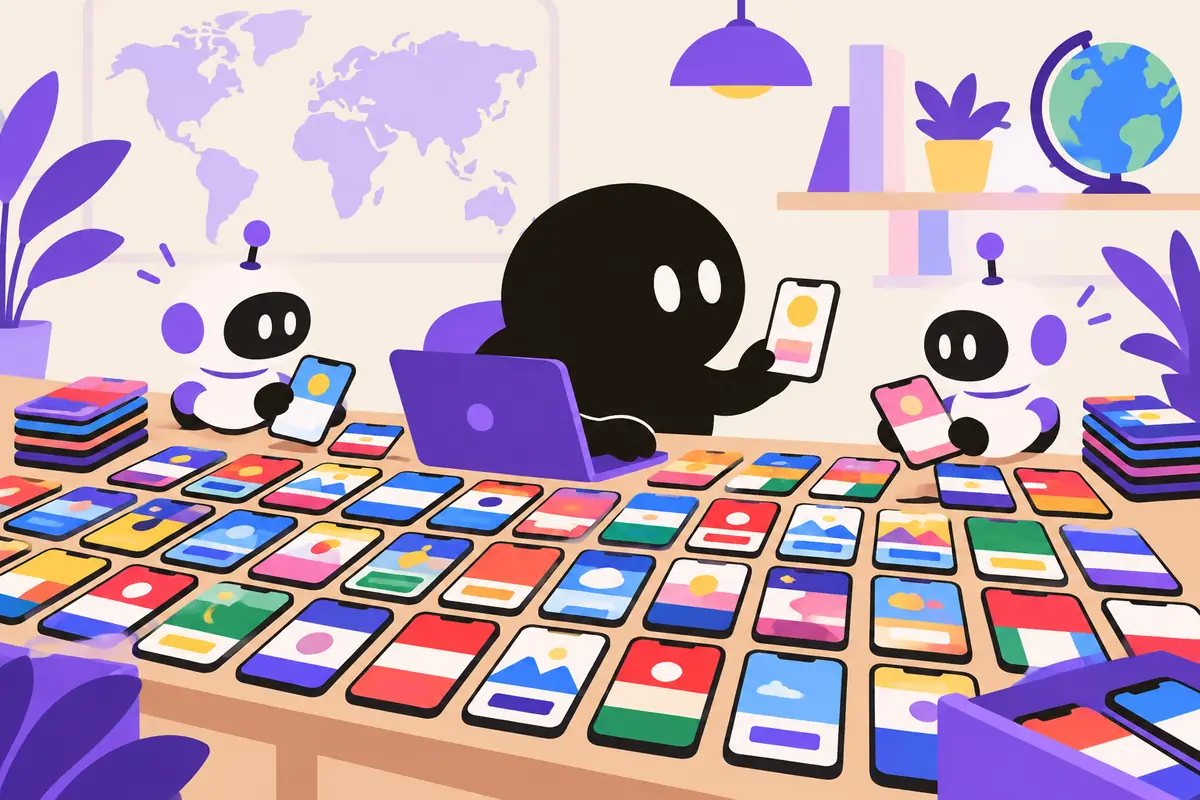
色ちがいのスマホ画面を一気に作り上げるキャラクターとロボットの助手

こんにちは、ZOZOTOWNでiOSアプリエンジニアをしているtsuzuki817(@tsuzuki817)です。

普段は大規模なアプリ開発に携わっていますが、個人開発でアプリを世界展開しようとした際、「ある作業」の絶望的な面倒くささに心が折れそうになりました。

そう、「多言語対応スクリーンショットの作成」です。

「エンジニアなら、この単純作業は自動化すべきだ」

その一心で、AI(Gemini 3 Pro)を活用したローカライゼーションSaaS ScreenNative を、AI(Claude Code)とのペアプログラミングで開発しました。

今回は、その開発手法や、技術的にこだわった「堅牢なアーキテクチャ」について裏側を公開します。

ScreenNative - App Store Screenshot Localization AI
ScreenNative - AIによるApp Storeスクリーンショットのローカライゼーション

なぜ作ったのか?:iOSエンジニアにしか分からない「痛み」

アプリをグローバル展開するには、App Store Connectに各言語ごとのスクリーンショットを入稿する必要があります。しかし、これを真面目にやろうとすると地獄を見ます。

地獄のスクショ作成フロー
  1. xcrun simctl でシミュレータの言語をドイツ語に変える
  2. アプリをビルドして起動
  3. 必要な画面まで遷移してスクショを撮る
  4. 「文字が長すぎてボタンから溢れてる!」 → Auto Layoutの制約を調整し直し
  5. これを英語、フランス語、中国語...と10言語分繰り返す
  6. さらに端末サイズ(6.9インチ、6.5インチ...)ごとに繰り返す

「これ、人間がやる仕事じゃないな」 と思いました。

ScreenNativeが解決すること

既存のスクショを1枚アップロードするだけで、AIが「UIの文脈(ボタンや余白)」を理解し、レイアウトを崩さずにテキストだけをネイティブ品質で翻訳・置換します。

開発体制:私(CTO) × AI(リードエンジニア)

今回の開発は、「私がCTO兼PMとして仕様を決め、AI(Claude Code)がリードエンジニアとして実装する」 という体制で行いました。

単にコードを書かせるだけでなく、アーキテクチャ設計からAIと壁打ちを行いました。

実際のやり取り例

私: 「Stripeの決済とクレジット消費をAtomicにやりたい。Firestoreの設計はどうすべき?」

AI: 「users コレクションとは別に creditTransactions で監査ログを残し、runTransaction で整合性を保ちましょう」

このように、「仕様 → 実装」のサイクルを極限まで高速化することで、実質3日間で決済機能付きのSaaSをデプロイまで持っていくことができました。

技術スタックとアーキテクチャ

「個人開発だから」という妥協はせず、企業が導入できるレベルのセキュリティと拡張性を目指しました。

技術スタック

Frontend: Next.js 15 (App Router), Tailwind CSS, shadcn/ui
Backend: Firebase Cloud Functions Gen 2 (Node.js)
Database: Cloud Firestore
Storage: Cloud Storage for Firebase
AI Model: Google Gemini 3 Pro (gemini-3-pro-image-preview)
Payment: Stripe (Checkout & Webhooks)

システム連携フロー

Next.jsのAPI Routesをゲートウェイとし、実際の処理はセキュアなバックエンド(Admin SDK)で行う構成です。

┌─────────────────┐    ID Token    ┌─────────────────┐
│  Client/Next.js │ ─────────────▶ │   API Routes    │
└─────────────────┘                └─────────────────┘
                                          │
                    ┌─────────────────────┼─────────────────────┐
                    │                     │                     │
                    ▼                     ▼                     ▼
            ┌─────────────┐       ┌─────────────┐       ┌─────────────┐
            │  Firestore  │       │ Gemini API  │       │   Stripe    │
            │  (Admin SDK)│       │             │       │             │
            └─────────────┘       └─────────────┘       └─────────────┘
                    │                                          │
                    │              Webhook                     │
                    │ ◀────────────────────────────────────────┘
                    ▼
            ┌─────────────────────────────┐
            │  Cloud Functions (Gen 2)   │
            │  - Transaction処理         │
            └─────────────────────────────┘

技術的なこだわりポイント

1. セキュリティ最優先のゼロトラスト設計

「クライアント(ブラウザ)は信用しない」を徹底しました。

Firestore Security Rules

ユーザーによる users コレクションへの書き込みは一切禁止(allow write: if false)。クレジットの消費やプラン変更は、必ずサーバーサイドの API Routes 経由で、Admin SDK を用いて行います。

マジックバイト検証

画像アップロード時、拡張子だけでなくバイナリの先頭(マジックナンバー)を検証し、偽装ファイルを弾く実装を導入しています。

2. 冪等性を担保した決済システム

StripeからのWebhookは、ネットワークエラーなどで複数回届く可能性があります。

そこで、stripeWebhooks コレクションでイベントIDを管理し、「一度処理した決済イベントは二度処理しない(冪等性)」 ロジックを実装しました。

また、クレジット消費時も Firestore Transaction を使用し、「生成成功」と「クレジット減算」が完全に同期するようにしています。

【ひとこと解説】冪等性とは? 同じ操作を何度実行しても、結果が変わらないこと。例えば「100円引く」を2回実行しても、実際には1回分しか引かれないようにする仕組みです。

3. 型安全性とDX (Developer Experience)

開発効率を高めるため、「Single Source of Truth(信頼できる唯一の情報源)」 を徹底しました。

定数からの型導出

「対応言語リスト」や「プラン定義」を定数として定義し、そこから TypeScript の型 (LanguageCode, PlanId) を自動生成 (typeof ...)。これにより、プランを追加した際に修正が必要な箇所が型エラーとして即座に判明します。

Zodによる二重バリデーション

APIのリクエストボディ検証に Zod を採用。TypeScriptの型定義とランタイムのバリデーションを同期させています。

まとめ

ScreenNativeは、「iOSエンジニアが、自分の欲しいものをガチで作った」 プロダクトです。

など、アプリ開発者ならではの「こだわり」を詰め込みました。

Total Source Files

83 files

(約8,000行)

ScreenNative - App Store Screenshot Localization AI

初期2枚無料(Product Huntキャンペーン中は5枚!)で試せます。
面倒なスクショ作成業務から解放されたい開発者の皆さん、ぜひ使ってみてください!

ScreenNativeを試す

最後まで読んでいただき、ありがとうございました。
「スクショ地獄」から解放される開発者が一人でも増えれば、これ以上の喜びはありません。

Hi, I'm tsuzuki817 (@tsuzuki817), an iOS engineer at ZOZOTOWN.

My day job is working on a large-scale app, but when I tried to take my indie apps global, one particular task was so hopelessly tedious that it nearly broke me.

Yes: "making localized screenshots".

"If you're an engineer, you should automate this kind of grunt work."

With that one thought in mind, I built ScreenNative, a localization SaaS powered by AI (Gemini 3 Pro), pair programming with AI (Claude Code).

In this post I'll share what went on behind the scenes: how I built it, and the "robust architecture" I was particular about on the technical side.

ScreenNative - App Store Screenshot Localization AI
ScreenNative - App Store screenshot localization with AI

Why I built it: a pain only iOS engineers understand

To take an app global, you have to upload screenshots for every language to App Store Connect. But if you try to do this properly, you're in for hell.

The screenshot workflow from hell
  1. Switch the simulator's language to German with xcrun simctl
  2. Build and launch the app
  3. Navigate to the screen you need and take a screenshot
  4. "The text is too long and it's spilling out of the button!" → readjust the Auto Layout constraints
  5. Repeat this for 10 languages: English, French, Chinese...
  6. Then repeat it again for every device size (6.9-inch, 6.5-inch...)

I thought, "This isn't a job for a human."

What ScreenNative solves

Upload just one existing screenshot, and the AI understands the UI context (buttons and spacing), then translates and replaces only the text at native quality without breaking the layout.

The team: me (CTO) × AI (lead engineer)

For this project, I decided the spec as CTO and PM, and the AI (Claude Code) implemented it as lead engineer.

I didn't just have it write code. I bounced ideas off the AI starting from the architecture design.

An actual exchange

Me: "I want Stripe payments and credit consumption to be atomic. How should I design Firestore?"

AI: "Keep an audit log in creditTransactions, separate from the users collection, and maintain consistency with runTransaction."

By speeding up the spec → implementation cycle as far as it would go, I was able to take a SaaS with payments all the way to deployment in effectively three days.

Tech stack and architecture

I didn't cut corners just because it was an indie project. I aimed for security and scalability at a level a company could adopt.

Tech stack

Frontend: Next.js 15 (App Router), Tailwind CSS, shadcn/ui
Backend: Firebase Cloud Functions Gen 2 (Node.js)
Database: Cloud Firestore
Storage: Cloud Storage for Firebase
AI Model: Google Gemini 3 Pro (gemini-3-pro-image-preview)
Payment: Stripe (Checkout & Webhooks)

How the systems connect

Next.js API Routes act as the gateway, and the actual processing happens in a secure backend (Admin SDK).

┌─────────────────┐    ID Token    ┌─────────────────┐
│  Client/Next.js │ ─────────────▶ │   API Routes    │
└─────────────────┘                └─────────────────┘
                                          │
                    ┌─────────────────────┼─────────────────────┐
                    │                     │                     │
                    ▼                     ▼                     ▼
            ┌─────────────┐       ┌─────────────┐       ┌─────────────┐
            │  Firestore  │       │ Gemini API  │       │   Stripe    │
            │  (Admin SDK)│       │             │       │             │
            └─────────────┘       └─────────────┘       └─────────────┘
                    │                                          │
                    │              Webhook                     │
                    │ ◀────────────────────────────────────────┘
                    ▼
            ┌─────────────────────────────┐
            │  Cloud Functions (Gen 2)   │
            │  - Transaction handling    │
            └─────────────────────────────┘

Where I got particular on the technical side

1. Zero-trust design with security first

I stuck rigorously to "never trust the client (the browser)".

Firestore Security Rules

Users can't write to the users collection at all (allow write: if false). Credit consumption and plan changes always go through server-side API Routes, using the Admin SDK.

Magic byte verification

When an image is uploaded, I check not just the file extension but the start of the binary (the magic number), so disguised files get rejected.

2. A payment system with guaranteed idempotency

Webhooks from Stripe can arrive more than once because of things like network errors.

So I track event IDs in a stripeWebhooks collection and implemented logic that never processes a payment event twice once it's been handled (idempotency).

Credit consumption also uses a Firestore Transaction, so "generation succeeded" and "credits deducted" stay perfectly in sync.

Quick explainer: what is idempotency? It means that running the same operation any number of times gives the same result. For example, even if "subtract ¥100" runs twice, only one deduction actually happens.

3. Type safety and DX (Developer Experience)

To keep development efficient, I was strict about having a "Single Source of Truth".

Deriving types from constants

The "supported languages list" and "plan definitions" are defined as constants, and the TypeScript types (LanguageCode, PlanId) are generated from them automatically (typeof ...). That way, when I add a plan, every place that needs fixing shows up immediately as a type error.

Double validation with Zod

I use Zod to validate API request bodies, keeping the TypeScript type definitions and runtime validation in sync.

Wrapping up

ScreenNative is a product where an iOS engineer seriously built the thing he wanted for himself.

I packed it with the kind of attention to detail only an app developer would care about.

Total Source Files

83 files

(about 8,000 lines)

ScreenNative - App Store Screenshot Localization AI

You can try your first 2 screenshots free (5 during the Product Hunt campaign!).
If you're a developer who wants out of tedious screenshot work, please give it a try!
Try ScreenNative

Thanks for reading all the way to the end.
If even one more developer escapes "screenshot hell", nothing would make me happier.